Day to Night Hero
Arden Vale, architects of houses for warm climates
From first light to the last one on.
We design houses around the sun: deep shade at noon, long rooms for the evening, and glass that glows once the day is done.
Arden Vale, architects of houses for warm climates
We design houses around the sun: deep shade at noon, long rooms for the evening, and glass that glows once the day is done.
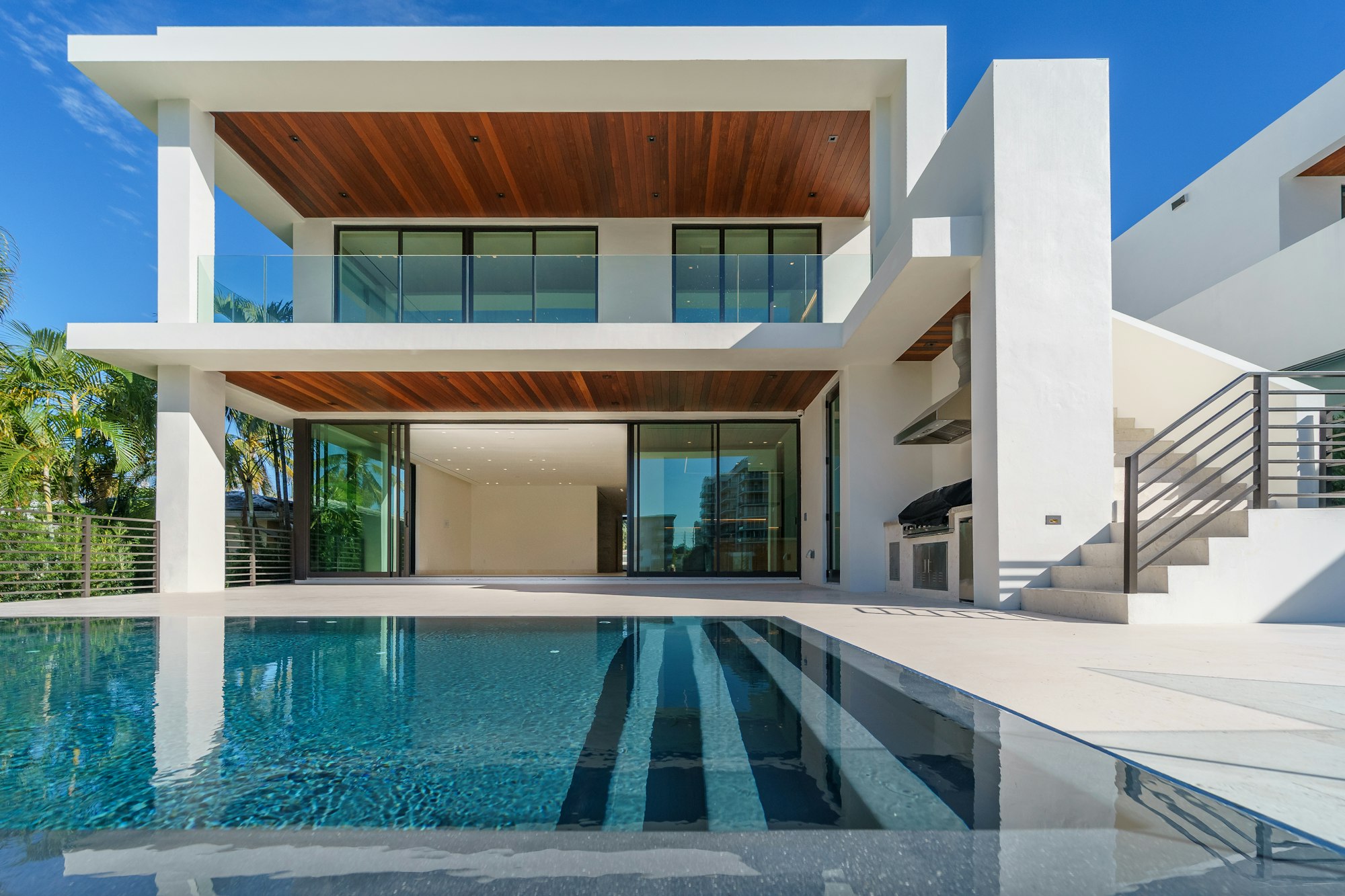
A pinned-scroll architecture studio hero built on the photo-relight component: one photograph of a white modernist house behind a long pool is relit as the reader scrolls, from a cool dawn through midday and a warm golden hour with low raking light to blue hour and night, the sky regraded on its own while the windows, timber soffits and pool switch on one by one with a soft halo. A white semibold headline, an intro, an Arrow Pill and an underline link sit at the lower left over a soft scrim. Every photo, light and grade setting passes through the day prop; reduced motion holds golden hour on a single screen.
A pinned hero where one architectural photograph is relit in WebGL by the photo-relight component as the page scrolls, from a cool dawn through golden hour to blue hour and night, with the sky regraded and traced windows, soffits and pool switching on one by one, under a white headline, an intro, an Arrow Pill and an underline link at the lower left.
Upgrade to Pro
Pro blocks install through the shadcn CLI with your license key and ship their full source. Docs and live previews stay open to everyone, so you can read every block's details first.
Swap YOUR_EMAIL and YOUR_KEY for the email and license key on your account. Find your license key on your account page.
Radix flavor
npx shadcn add "https://ui.beste.co/r/hero243?email=YOUR_EMAIL&license_key=YOUR_KEY"Base UI flavor
npx shadcn add "https://ui.beste.co/r-base/hero243?email=YOUR_EMAIL&license_key=YOUR_KEY"This installs the block to components/beste/block/hero243.tsx plus the photo-relight component and the button23 and button2 buttons it uses.
The installed file exports hero243Demo alongside the block: the exact props behind the preview above. Spread it to get a working hero in one line.
import { Hero243, hero243Demo } from "@/components/beste/block/hero243";

export default function Page() {
  return <Hero243 {...hero243Demo} />;
}
Then replace the demo with your own props. Written out, a trimmed setup looks like this:
import { Hero243 } from "@/components/beste/block/hero243";
import { photoRelightLights } from "@/components/beste/component/photo-relight";

export default function Page() {
  return (
    <Hero243
      eyebrow="Arden Vale, architects of houses for warm climates"
      heading="From first light to the last one on."
      description="We design houses around the sun: deep shade at noon and glass that glows once the day is done."
      buttons={[
        { label: "Start a house with us", href: "/contact" },
        { label: "See the houses", href: "/houses" },
      ]}
      day={{
        imageSrc: "https://images.unsplash.com/photo-1613490493576-7fde63acd811?w=2000&q=80",
        imageAlt: "A white modernist house with timber soffits behind a long pool",
        lights: photoRelightLights,
        warmth: 0.7,
        nightDepth: 0.6,
        glowColor: "#ffd9a8",
        bloom: 0.6,
      }}
    />
  );
}| Prop | Type | Default | Description |
|---|---|---|---|
eyebrow | string | – | Muted white line above the headline |
heading | string | – | White headline, rendered as the page h1 |
description | string | – | Intro under the headline |
buttons | ActionButton[] | [] | The first renders as a light Arrow Pill (Button23), the rest as white underline links (Button2) |
day | Omit<PhotoRelightProps, "className" | "children" | "progress" | "autoplay"> | – | Forwards the PhotoRelight props from the photo-relight component (photo and alt, traced lights, speed, warmth, night depth, glow color, bloom, grain, horizon, crop focus, paused); scroll drives the time of day |
className | string | – | Extra classes for the outer <section> |
type ActionButton = {
  label: string;
  href: string;
};

type RelightWindow = {
  /** Corners of the lit area as [x, y] pairs, 0 to 1 across and down the photo */
  points: [number, number][];
  kind?: "window" | "surface" | "water";
  /** Point in the day this light switches on, 0 to 1 */
  at?: number;
  color?: string;
};260svh tall with a sticky stage of 100svh minus 78px (at least 640px); scroll progress between 0.03 and 0.95 is clamped to 0 (dawn) to 1 (night) and read by the shader every frame without re-rendering, with autoplay forced off.lights are traced on the photo, not the frame: a window lets only its glass glow, a surface is washed with light and keeps its grain, and water glows from within. Lights without at come on in array order through dusk; the demo reuses the exported photoRelightLights traced for its photo.md, a left gradient keep the white copy readable at every hour.0.45, and the copy skips its rise-in.